

Save an Extra 10% with Code SAVE10 | Some Exclusions Apply Ends Jan 31

0

Your Cart is Empty

Vienna Ensemble Pro 8V - Upgrade from VE Pro 6 or 7

One Hub for Music and Picture
5.0
Rated 5.0 out of 5 stars
1 Review

View other products by Vienna Symphonic Library

Description

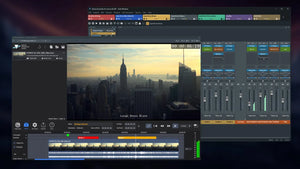
Designed as the central hub of modern music production, Vienna Ensemble Pro 8V brings instruments, effects, computers, and now even video playback together in one intelligent environment. With faster loading times, smarter server networking, advanced performance monitoring, crash protection, and a host of FX plug-ins, even the largest templates remain responsive and reliable. Integrated Vienna Video Pro extends your setup with smooth, GPU-accelerated video streaming on remote machines, complete with timelines, markers, and flexible sync options. Whether you’re working on a single system or across complex multi-computer studios, Vienna Ensemble Pro 8V keeps your entire creative workflow perfectly in sync.

Vienna Video Pro

  • Stream video and audio playback directly through Vienna Ensemble Pro 8V (also from remote machines) to free up your DAW machine’s CPU
  • Fluid, GPU-accelerated performance with thumbnails and audio waveforms generated in real time.
  • Support for multiple timelines, each with its own frame rate.
  • Add streamers and markers directly within the timeline for precise scoring cues.
  • Sync to host application or play independently in free render.
  • Convenient video export option – multiple resolutions and bitrates, H264 container, mp4. Keep working during export.
  • Load/save complete video projects within Video Pro.
  • Extremely low CPU impact – heavy processing is done on the GPU.
  • Option to delay video audio playback for perfect sync with picture.
  • Timeline timecode offset support, including negative values for full compatibility with Cubase and other DAWs.
  • Blackmagic Design support.
  • MMC/MTC support.
  • Supports virtually all common video formats.

New Features

Channels & Presets

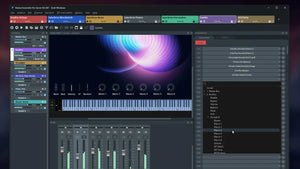
  • Group Edit for all Synchron Player instances – Copy-Paste settings between Synchron Player instances, including Mixer Presets, Tuning Tables, Controller Settings.
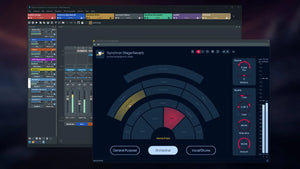
  • Integrated Synchron Stage Reverb SO – convolution reverb recreating the ambience of Stage A of Vienna Synchron Stage with pre-defined positions (stereo orchestra)
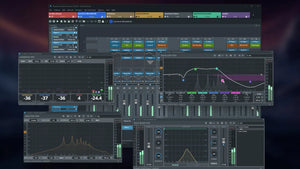
  • Now includes all plug-ins from Vienna Suite Pro directly integrated in FX inserts
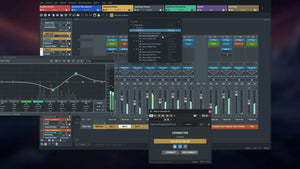
  • New Channel Sets Library – manage and insert factory or user-defined channel setups instantly.
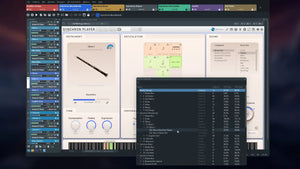
  • Enhanced plug-in preset browser – lists all presets of each available plug-in.
  • Redesigned preset control bar – improved usability and preset management similar to Vienna Suite Pro.

Performance & Workflow

  • Faster project loading – When loading project data into an instance that already contains similar plug-in configurations, Vienna Ensemble Pro 8 intelligently reuses existing plug-ins instead of recreating or reloading them, greatly improving load times and often reducing the need for the “Decouple” feature.
  • Crash Protection – If a project file (.vep or .vesp) crashes during loading, you can selectively disable the element that caused the crash on the next load attempt, with the option to disable other elements as well (for example, all plug-ins of the same type). Large templates remain accessible and editable, preventing a single faulty plug-in from rendering an entire project unusable.
  • Activity Monitor – Displays a detailed, sortable overview of CPU and performance usage for each instance, channel, and plug-in, allowing you to quickly locate heavy performance hitters or plug-ins that have hung during processing.
  • Search function – Use Ctrl/Cmd+F to quickly find plug-ins, channels, or parameters within an instance and Ctrl/Cmd+Shift+F across the entire server.
  • Undo/Redo History – track and revert changes directly from the Edit menu.

Networking & Connectivity

  • Servers are now identified by name instead of IP address – no need for static IPs.
  • Automatic connection by Server Name for seamless template switching between machines.
  • New “Accept new connections” option in Server Preferences for better control while switching host projects.
  • Improved reliability of server discovery (no longer dependent on Bonjour).

Other Improvements

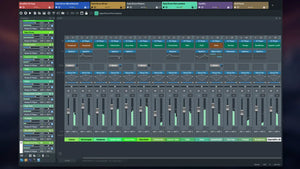
  • Major GUI refresh – modernized, more responsive, and easier to navigate.
  • OSC interface fully documented

Existing Features

Connectivity

  • Cross-platform MIDI and audio LAN solution for Macs and PCs.
  • No audio interfaces, no MIDI interfaces on your additional networked computers – All you need is Ethernet with a Gigabit connection.
  • AU/VST/VST3 (Mac) and VST/VST3 (PC) hosting – Instantiate any VSL and 3rd party VST and AU plug-ins (works with nearly all available VST/AU plug-ins and supports multiple outputs).
  • VST3/AAX Native/MAS connector plug-ins – Supports up to 48 MIDI ports and 768 audio ports per instance.
  • VST hosting on the Mac, allowing for full compatibility with Windows
  • Audio input plug-in – Route audio signals from your DAW into Vienna Ensemble Pro, e.g., to turn it into a virtual FX rack on your networked computer.
  • AU/AU3/VST/VST3/AAX Native/MAS plug-in or stand-alone.

Core Features

  • Preserve Instance – Disconnect Vienna Ensemble Pro from your sequencer while keeping all of your instruments and samples loaded, and re-connect to a new cue or project without loading again.
  • Full surround support up to 7.1 with integrated plug-ins for surround-to-surround balancing and mono/stereo-to-surround.
  • UPDATE: FX Plug-ins – All Vienna Suite Pro plug-ins, with convenient GUI displays embedded in the mixer channel view: Compressor Pro, Equalizer Pro, Exciter Pro, Limiter Pro, Analyzer Pro, Hybrid Reverb Pro
  • Also included: Pro versions of our surround-specific Vienna Suite plug-ins: Matrix Mixer Pro, Surround Balance Pro, Surround Pan Pro.
  • Frozen/Disabled channels allow unloading all plug-ins (including their allocated memory) from a selected channel, while keeping data intact
  • Faster saving times – Instance data is compressed/decompressed to increase saving speed with demanding plug-ins like NI Kontakt.
  • Plug-in latency compensation ensures full sync of all plug-ins inside each Vienna Ensemble Pro instance.

Usability Features

  • Simplified Automation – Detailed clear names of all automatable parameters available in Vienna Ensemble Pro and all inserted plug-ins.
  • Extended with Channel Sets in Vienna Ensemble Pro 8: Channel grouping allows assigning channels to a group, with option to link selected parameters to the entire group
  • Favorites Manager – Create a list of your go-to plug-ins (FX/instruments)
  • Favorites (auto-populated) – Always see your recently most used plug-ins on top of your plug-in list
  • Customize plug-in use in the Vienna Ensemble Pro Preferences
  • Improved plug-in scanning for a smoother experience with troublesome or incompatible plug-ins
  • Combined now: Instance & Folder disabling (automatable)
  • Copy/paste channels – For flexible template adaptations (Comm. C/V, Ctrl C/V)

GUI Features

  • Extended with new Activity Monitor in Vienna Ensemble Pro 8: Instance CPU Usage – Realtime read-out of the specific CPU load
  • Instance MIDI/Audio activity – Better overview, easy to observe and to control MIDI and audio activity
  • Vertical Instance List – For a quicker overview of all available instances (in addition to the tabbed view)
  • Articulation Display – The currently playing articulation is displayed directly in the channel (works for Vienna Synchron Player, Vienna Instruments Pro Player).
  • Missing Patches are indicated by a red frame (works for Vienna Synchron Player, Vienna Instruments Pro Player).
  • FX Mini GUI Displays – Watch some of your integrated FX plug-ins right in the channel view.

Tech Specs

System Requirements

Minimum:

  • Windows 10 (latest update, 64-bit), Intel Core i3
  • macOS 11 Big Sur (latest update), Intel Core i3
  • Working Gigabit connection between master and networked computer(s). Also works on a one-computer setup.
  • iLok Account and iLok License Manager for license activation on a physical iLok 2/iLok 3 key or in an iLok Cloud Session (the iLok Cloud requires a constant internet connection)

Recommended:

  • Windows 11 (latest updates, 64-bit), Intel Core i5/i7/i9/Xeon
  • macOS 14 Sonoma (or higher), Intel Core i7/i9/Xeon/Apple Silicon (M-Series)
  • Supported plug-in formats: AU/VST/VST3/AAX Native/MAS

Reviews

5.0
Rated 5.0 out of 5 stars
Based on 1 review
Total 5 star reviews: 1 Total 4 star reviews: 0 Total 3 star reviews: 0 Total 2 star reviews: 0 Total 1 star reviews: 0
100%would recommend this product
1 review
  • MS
    Mark S.
    Verified Buyer
    I recommend this product
    Rated 5 out of 5 stars
    Jan 26, 2026
    Best audio/video integration and workflow for DAW syncing and updated video import

    VE Pro 8V is basically the full VE Pro 8 update (significant in itself, with greatly improved workflow and functionality) with an additional plug-in for working with sound-for-pictures, which launches its own window and is amazingly flexible in its markings, syncing to host DAW's and in dealing with updates to video after you have already begun your composing and sound overlays (which can include voiceovers).

    Plug-in validation and loading is also way faster than in version 7, at least on macOS running on Apple Silicon chips. In the past, this had diminished my eagerness to use the plug-in and mixing host for audio projects. There are enough workflow improvements in version 8 that it no longer seems like a redundant tool for those of us not taking advantage of the networking features and using just one computer.

    For the video plug-in expanded edition known and VE Pro 8V, you can even host the video somewhere else than where your audio or project data sit, which often is required by clients, for secutiry reasons, intellectual property protection, or simply so that everyone is always in sync with the latest video edits.